
Beginning July 25, UAB Medicine will simplify Wi-Fi access for personal devices by consolidating multiple Internet-only Wi-Fi networks into a single network: uabhs_public.
What is changing?
The following networks will be retired:
- AH-GUEST
- uabhs_contractor
- UABHS-TELEHEALTH
The following network will remain:
- uabhs_public
This network will support Internet-only access for personal (non-UAB Medicine-managed) devices used by:
- Credentialed providers
- Contractors
- Patients and visitors
How to connect
Starting July 25:
- Connect to uabhs_public.
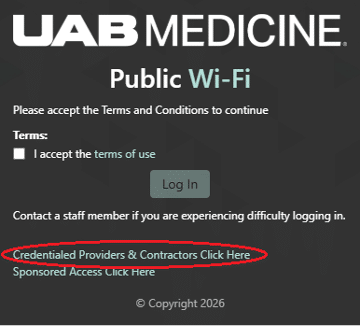
- You will be automatically redirected to a login portal.
- Select Credentialed Providers and Contractors.
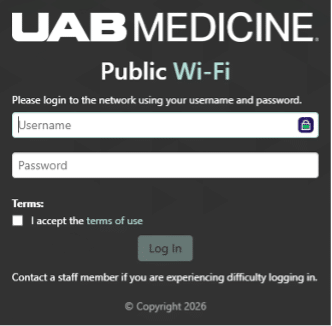
- Enter your credentials and accept the Terms of Use.
- Select Log In.
Authentication and access
- Active Directory credentials are required.
- Access must be reauthenticated every 30 days.
Important note for Apple users: Devices running iOS, iPadOS, and macOS must have their “Private Wi-Fi Address” setting changed from “Rotating” to “Fixed” immediately after the initial connection. View step-by-step instructions for this configuration here.
Benefits of this change
- Faster Wi-Fi capabilities
- One Wi-Fi network for all personal devices
- Simplified connection process
- Consistent user experience across UAB Medicine locations
- Streamlined support and maintenance
Thank you for your continued support as we work to improve technology across UAB Medicine. Your partnership helps us enhance the care experience for patients and support the work of providers and care teams every day.